What is Proactive Feedback in CultureMonkey?
Proactive Feedback lets any employee share feedback with their organisation any time — without waiting for a survey — by emailing a dedicated CultureMonkey address. The feedback is captured anonymously in the Feedback module and is visible to Super Admins, Sub-Admins, and Managers; the dedicated email address itself is visible only to Super Admins.
As part of the Feedback module, CultureMonkey would provide a dedicated email address to which the employees can send out their ad-hoc feedback in an anonymous manner.
Navigating to the Dedicated Email Address
Step 1: Log-in to CultureMonkey account and on the left panel, navigate to Feedback module under Analyse.
Step 2: In the Summary tab, click on the question mark within the Proactive Comm.
Step 3: You can find the proactive feedback email address in the pop up screen.
Best practices to be followed by the employees
An employee can mail their feedback to the proactive email address as and when it is required. However, they have to ensure the below points when sending a proactive feedback:
- Proactive feedback has to be sent from the employee's work email address: CultureMonkey will capture the feedback only when it is sent from an email address which is existing on its database.
- Feedback should be present on the body of the email: The system will capture only the content present in the body of the email. Subject would not be captured.
- Signature should not be present: Signature of the employee should not be part of the email body as it would lead to a breach of anonymity.
How would the feedback be shown in CultureMonkey?
Every email sent to the assigned email address will convert into anonymous feedback and will be listed under the proactive comment in the feedback module.
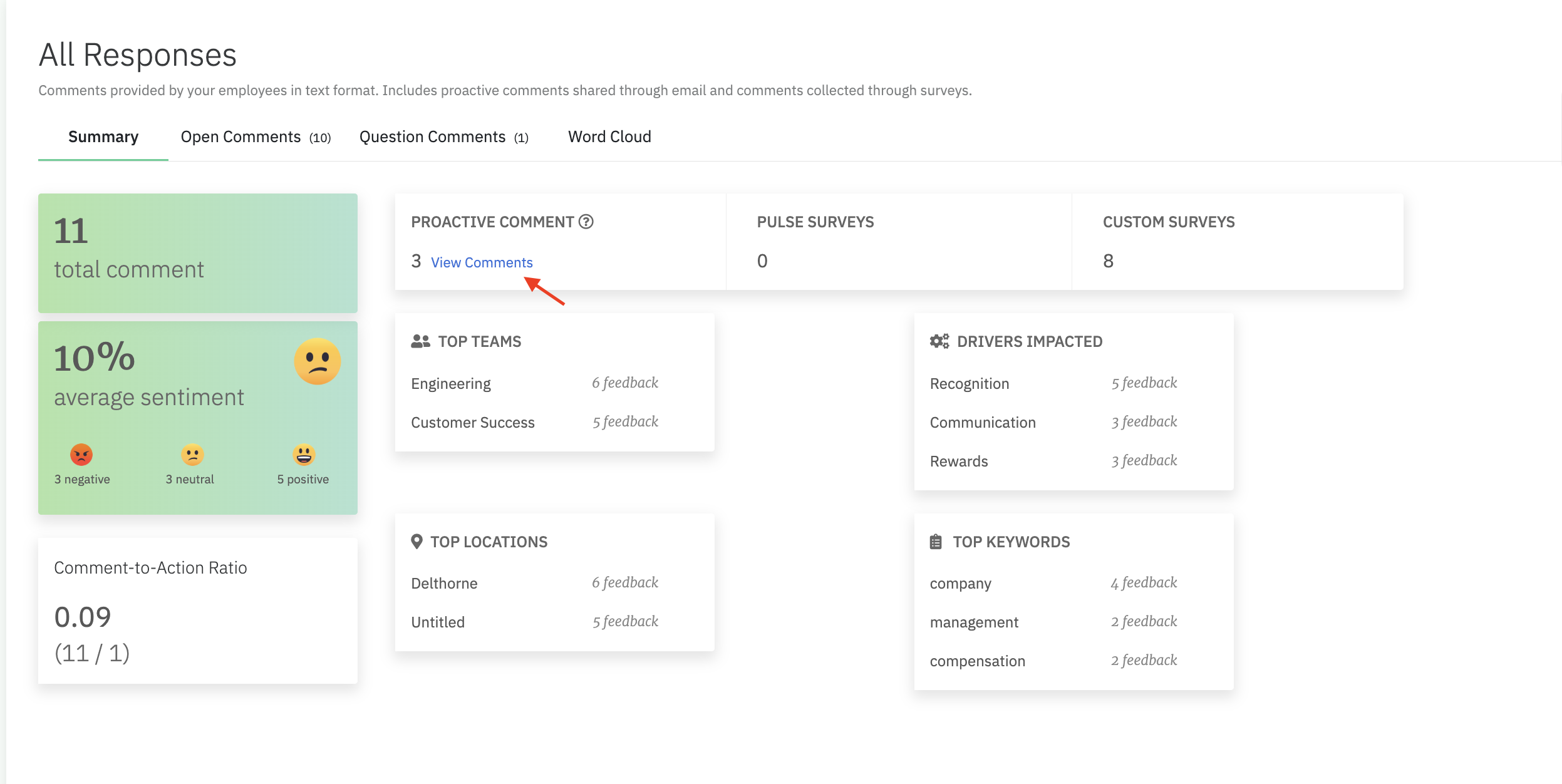
How to navigate to the proactive feedback received from employees?
You can interact with the feedback using features like initiate conversation, create action, react, etc.
Frequently Asked Questions
How do employees send proactive feedback in CultureMonkey?
They email feedback to a dedicated address provided by CultureMonkey. Every email sent to the address is converted into an anonymous entry under Proactive Comments in the Feedback module.
Is proactive feedback anonymous?
Yes. The system converts each email into anonymous feedback. To preserve anonymity, the sender's signature should not be in the email body.
Who can view proactive feedback in CultureMonkey?
Super Admins, Sub-Admins, and Managers can view proactive feedback. The dedicated email address itself is visible only to Super Admins.
What are the rules for sending proactive feedback?
Feedback must be sent from the employee's work email (which must exist in CultureMonkey's employee database), the message must be in the email body (subject lines are ignored), and the signature must be removed to preserve anonymity.
Can someone act on proactive feedback?
Yes. From the Feedback module, an admin or manager can initiate an anonymous conversation with the sender, create an action, or react to the feedback.